Made for iPad and iPhone

Think. Write. Organize.

Scientility is the notebook app for everyday life, school, university, teaching and work: handwritten notes, PDF annotations, formulas and planning in one place. Apple Pencil is supported on compatible iPads.

Download on the App Store
450+
Symbols
16
Templates
5
Languages
iCloud
sync optional
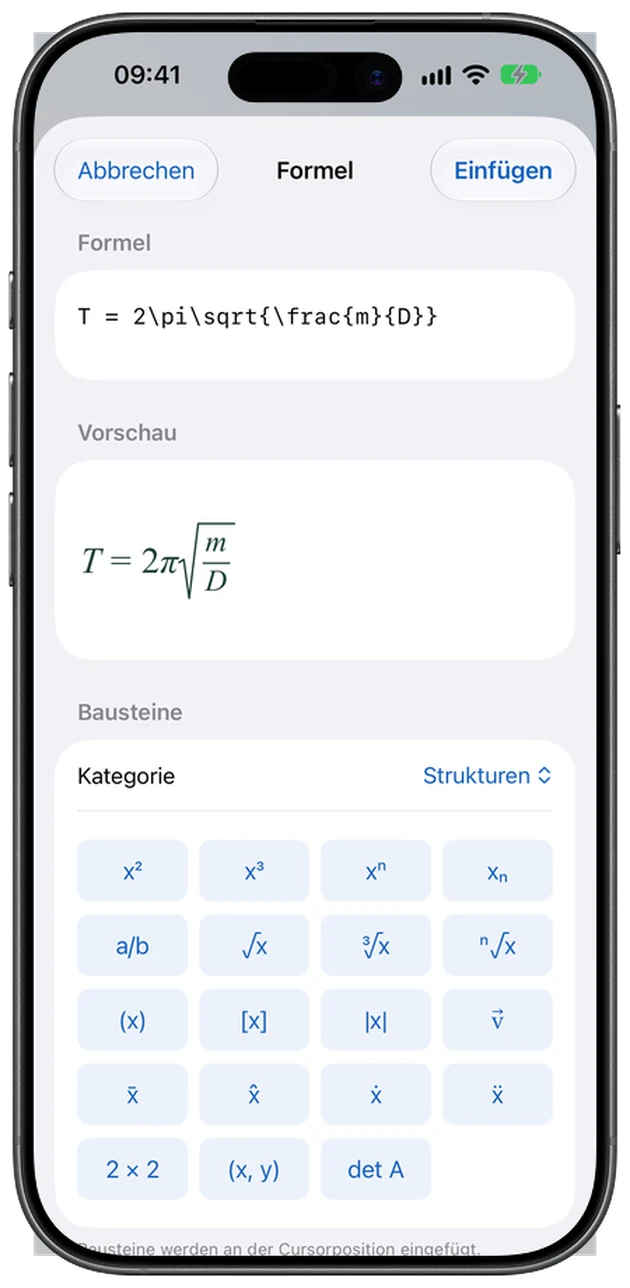
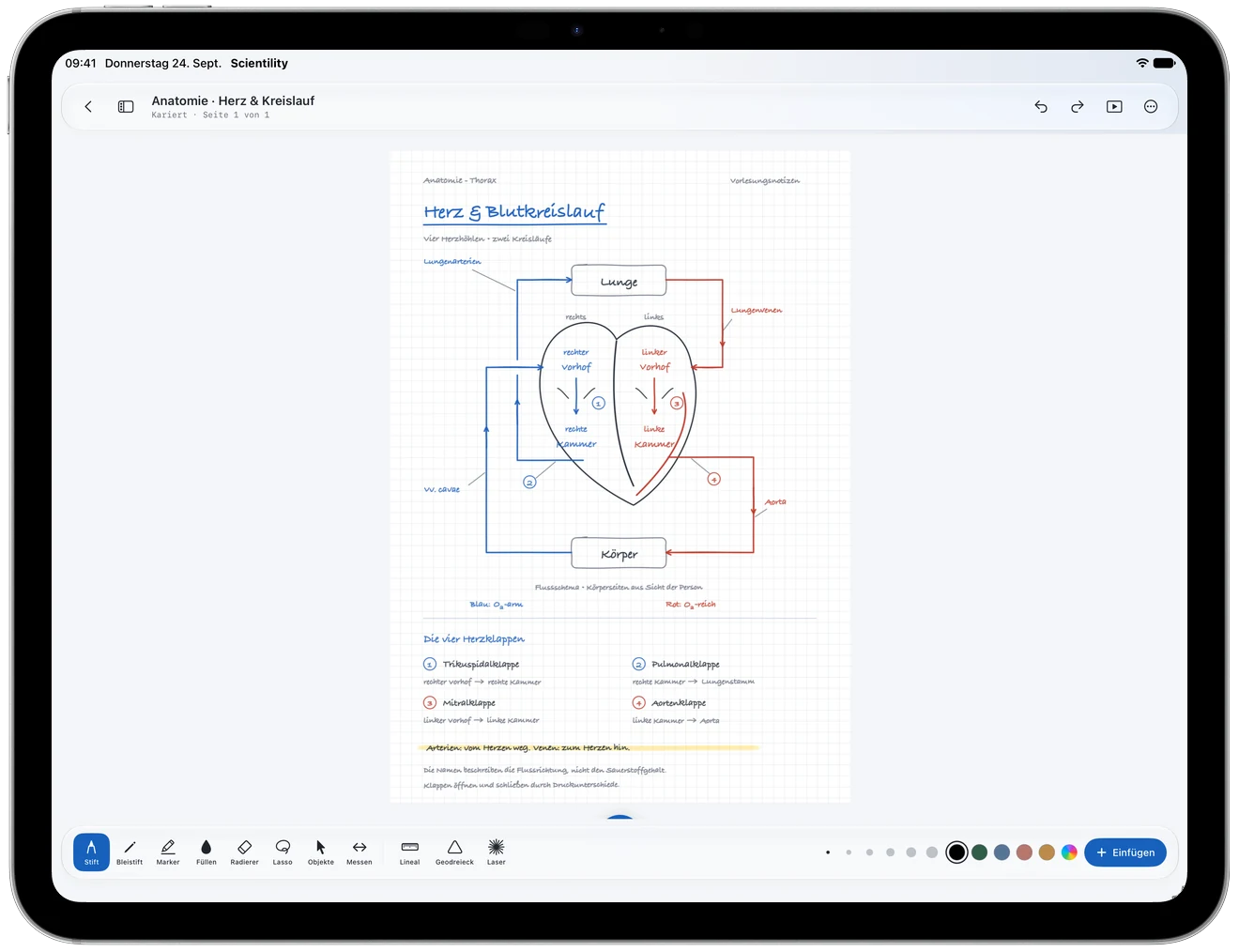
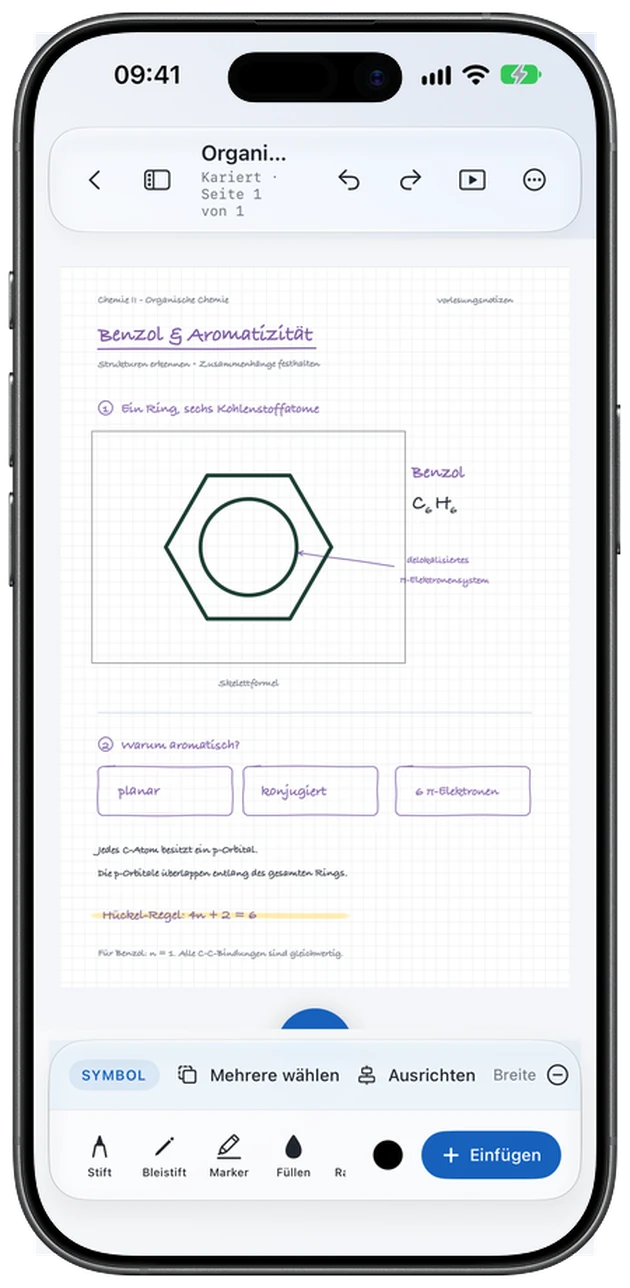
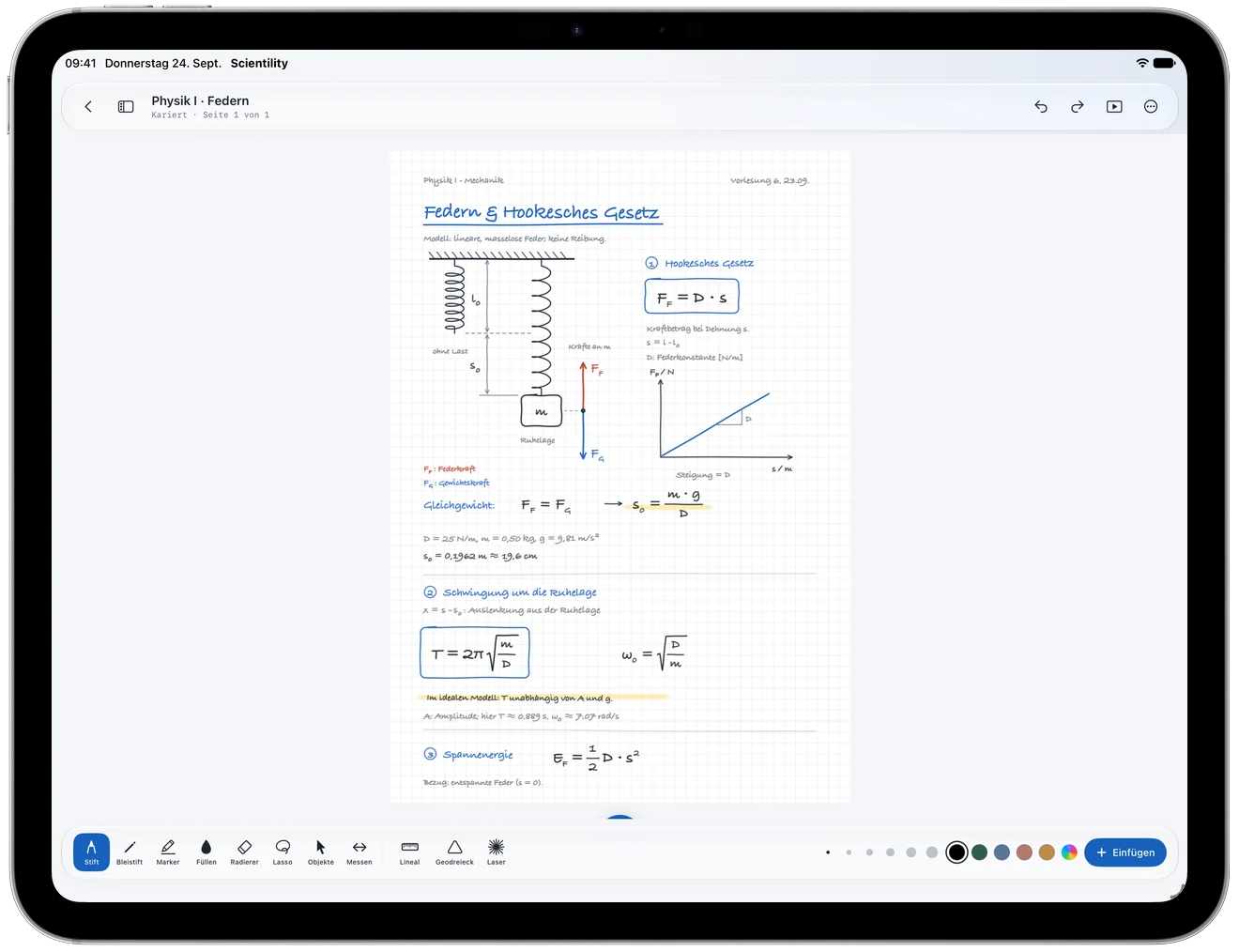
Scientility – Notebook on iPad Scientility – Formula editor on iPhone

Everything for your notes

Write, draw, calculate and organize – on your device and, if you like, in your iCloud.

Handwriting & sketches

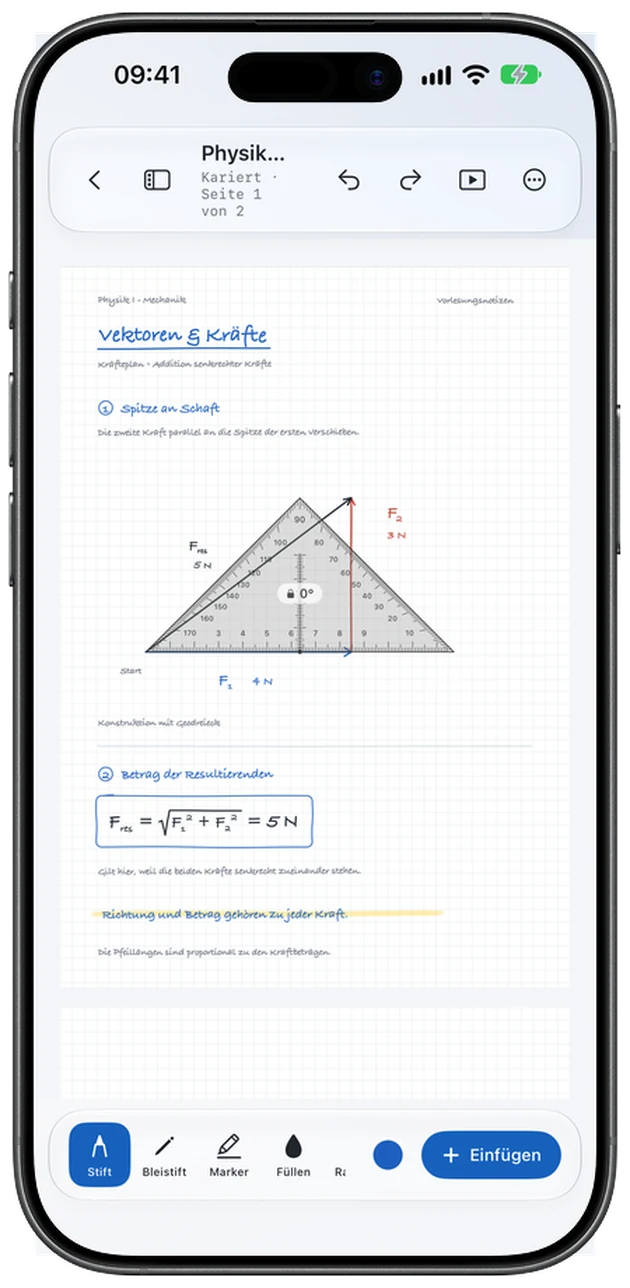
Pens, markers, erasers, lasso and object selection. Ruler and set square help with precise lines and angles.

Formula editor

Create and insert formulas with a live preview and building blocks for fractions, roots, integrals and more.

Annotate PDFs

Import PDFs and annotate their pages. Add tables, charts and symbols from the symbol catalog.

Organization & library

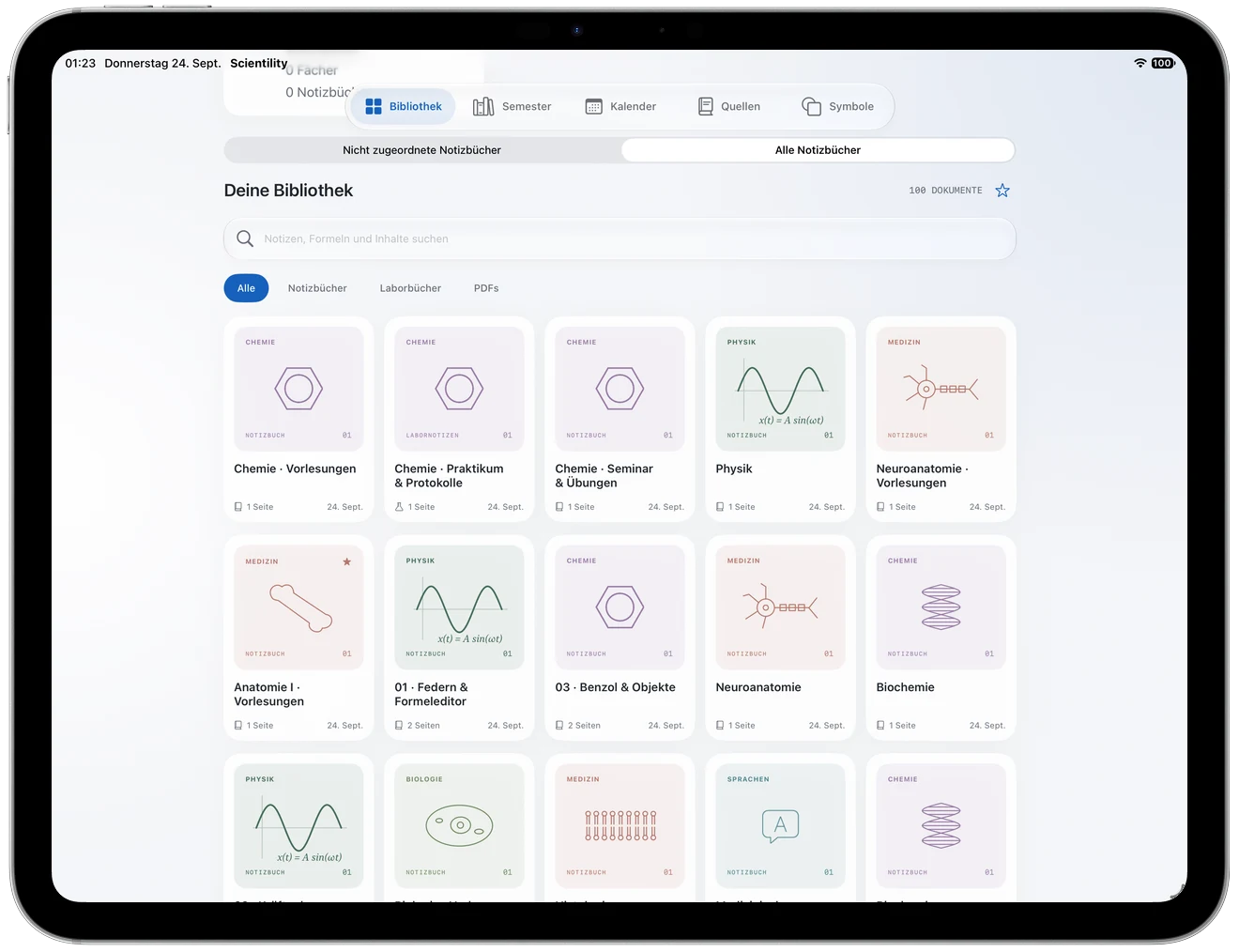
Sort notebooks by subject and semester. Search, filters and favorites help you find things again.

Calendar & planning

Track sources, appointments and tasks, and view the calendar as a week, month or year overview.

Photos & text recognition

Insert and crop photos, remove backgrounds, adjust brightness and contrast, and recognize text in photos – right on your device.

Shapes & objects

Rectangles, circles, lines and arrows, hand-drawn shapes smoothed automatically, and objects you can align, group and lock.

Dark mode & themes

Black paper with light ink in dark mode, five accent colors, two designs and many typefaces for text boxes.

Private & in sync

Notebooks live on your device and, if you like, sync through your private iCloud. No account, no ads, no tracking, no analytics SDKs.

From lecture notes to semester archive

Scientility adapts to the way you work.

Handwriting meets formulas

Handwriting meets formulas

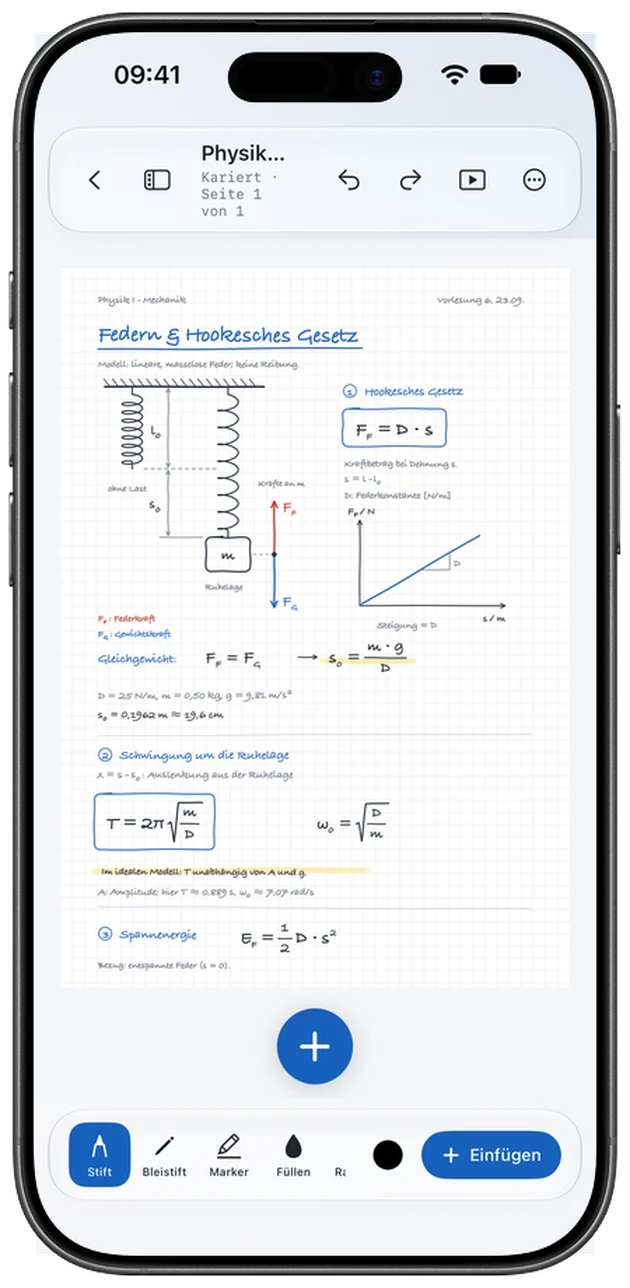
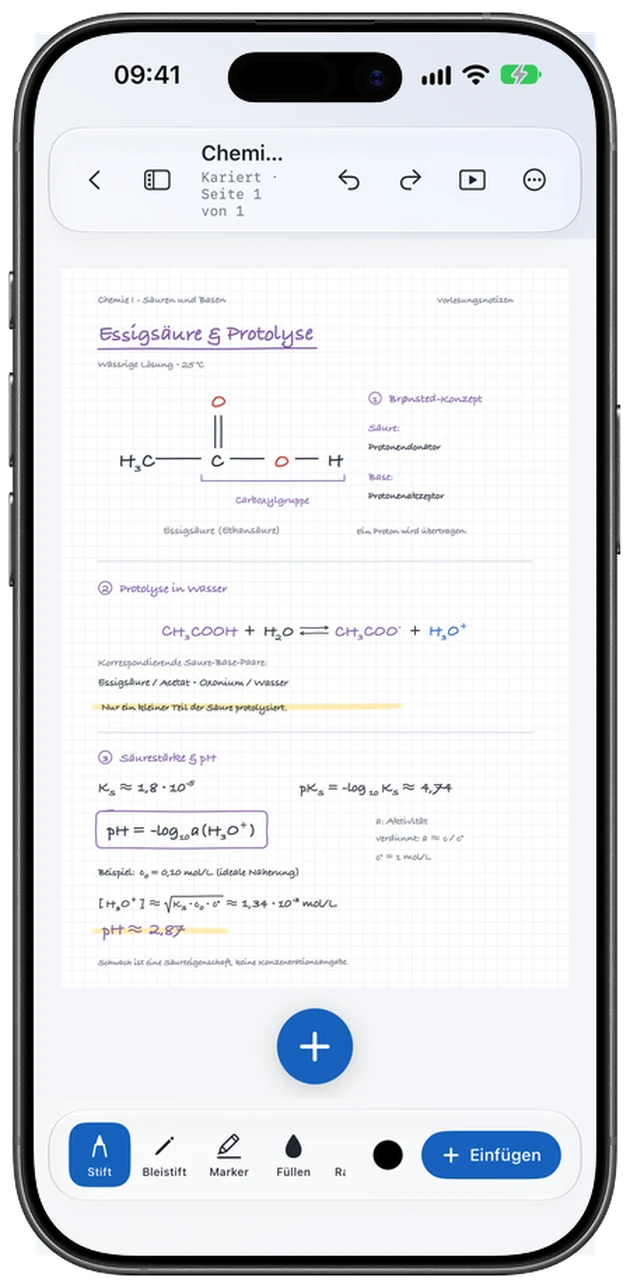
Write by hand, sketch, and add formulas, charts and typed text – on blank, ruled, dotted, grid, millimeter or isometric paper in A4 or US Letter.

  • Pen, pencil, marker and fill tools
  • Formula editor with preview
  • Charts and tables
For every subject

For every subject

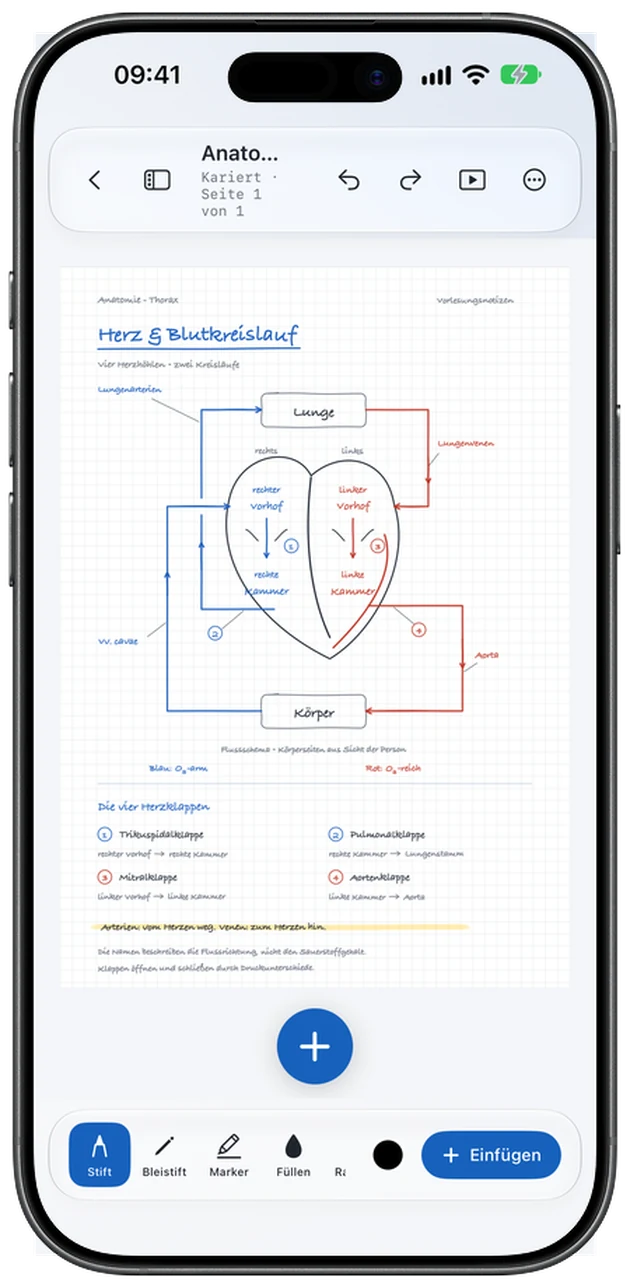
Whether physics, chemistry or anatomy: label graphics, import PDFs and keep everything together in one notebook.

  • PDF import with annotations
  • Lasso and object selection
  • Neutral templates for study, lab, projects and more
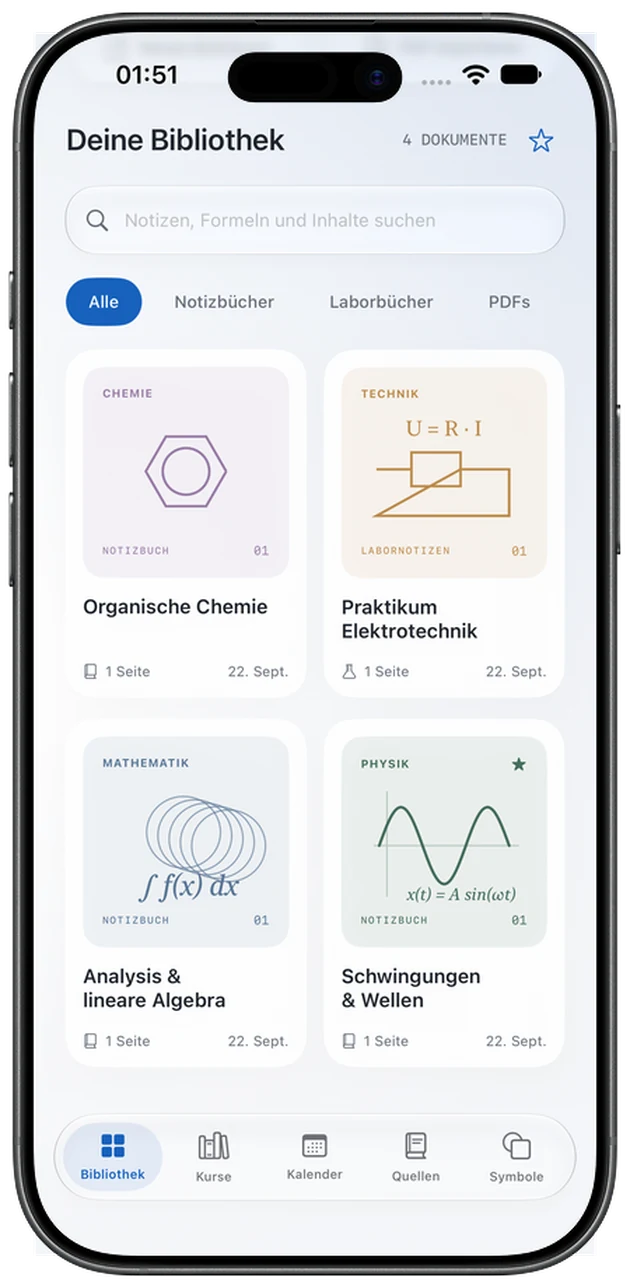
Your library

Your library

All notebooks and PDFs in one place – with search, filters and favorites. The symbol catalog provides symbols to insert straight into your pages.

  • Search notes, formulas and content
  • Filter by notebooks, lab books and PDFs
  • Favorites and recently used symbols
Organized by semester

Organized by semester

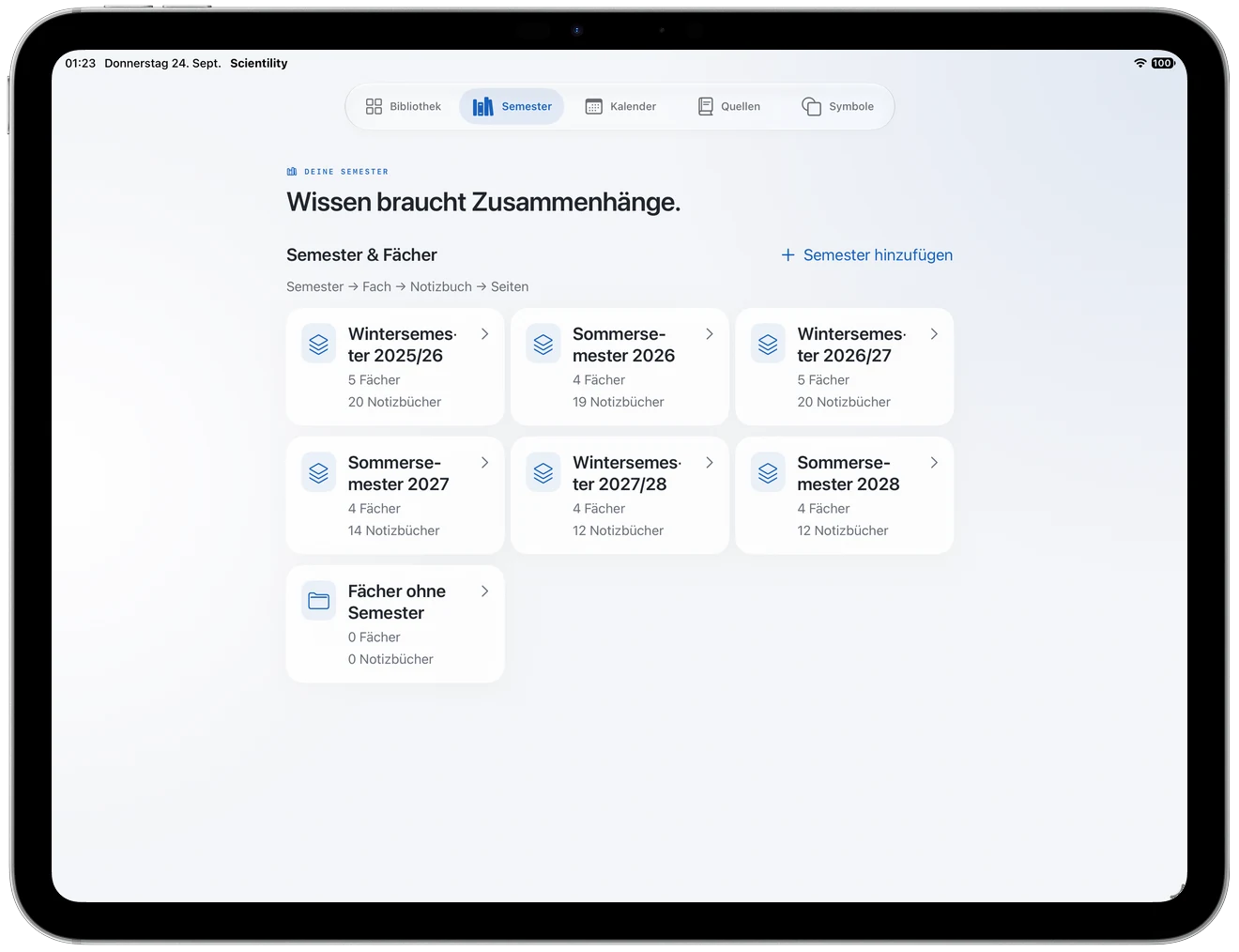
Sort notebooks by subject – for university additionally by semester – or keep them without any assignment.

  • Semester → subject → notebook → page
  • Library with search and filters

On iPhone, too

The same notebooks, compact for on the go.

Optional extra tools

The optional Pro subscription adds further tools. Existing notes stay readable and editable after it ends.

Function graphs & unitsGraphs from mathematical expressions and unit conversion.
Measurement analysisCount, mean, minimum, maximum and sample standard deviation.
Custom templates & blocksSave and reuse page templates and blocks such as formulas, charts and checklists.
Additional templatesDesigned weekly, exam, lesson and letter templates.
PDF export & printingExport notebooks as PDF, share them and print with AirPrint.

Buy once, extend if you like

The app is a one-time purchase. Pro is an additional, auto-renewing subscription.

Scientility

One-time purchase

No subscription required

  • Unlimited notebooks, optional iCloud sync
  • Handwriting, text, photos and PDF import
  • Semesters & subjects, calendar, sources
  • Templates and symbol library
  • English, German, French, Spanish, Portuguese
  • iPhone and iPad with iOS or iPadOS 17 or later

Current prices are shown in the App Store. Billing goes through your Apple Account. The subscription renews automatically unless canceled at least 24 hours before the end of the current period, and can be managed or canceled in your App Store account settings.

Download on the App Store